
The transparency: glass or transparency: holder settings are used to scan transparent images like filmstrips or slides which are positioned in one of the Epson holders or placed directly on the glass.
Some Epson scanners have a detachable transparency unit. If SilverFast doesn’t offer the transparency mode at all, it is very likely that the scanner needs to initialize the transparency unit to be able to access it again.
- Switch off the scanner.
- Close SilverFast
- Disconnect all cables from the scanner:
- Transparency Unit
- USB
- Power
- Press the scanner’s power switch for a second or two.
- Reconnect the cables.
- Switch the scanner back on.
- Start SilverFast again.
Transparency mode should now be available.
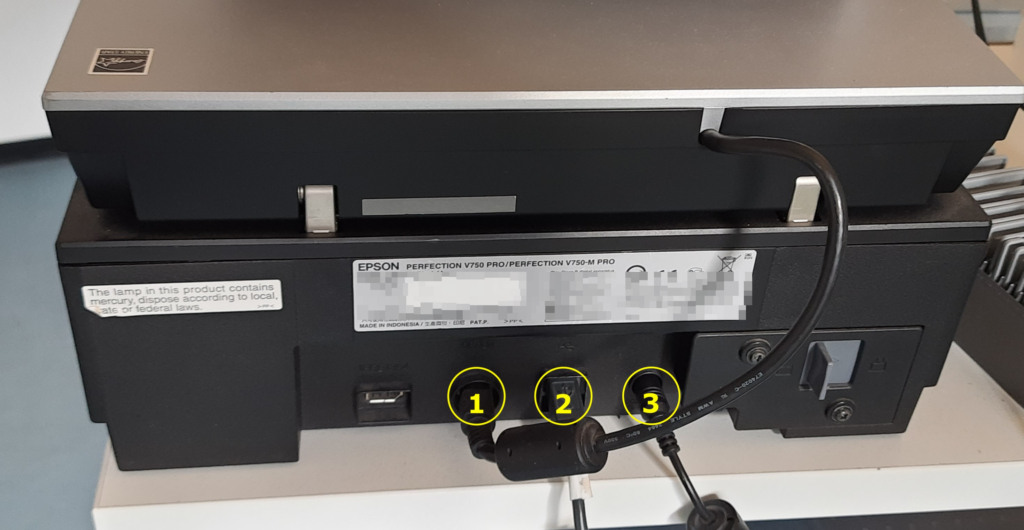
This concerns devices like:
- Epson Perfection 3200
- Epson Perfection 4870
- Epson Perfection 4990
- Epson Perfection V700
- Epson Perfection V750
- Epson Perfection V800
- Epson Perfection V850


