
You want to change the computer and transfer SilverFast to your new computer?
Here is what you can do to deactivate SilverFast 9 on your old computer and install and activate SilverFast 9 on the new computer:
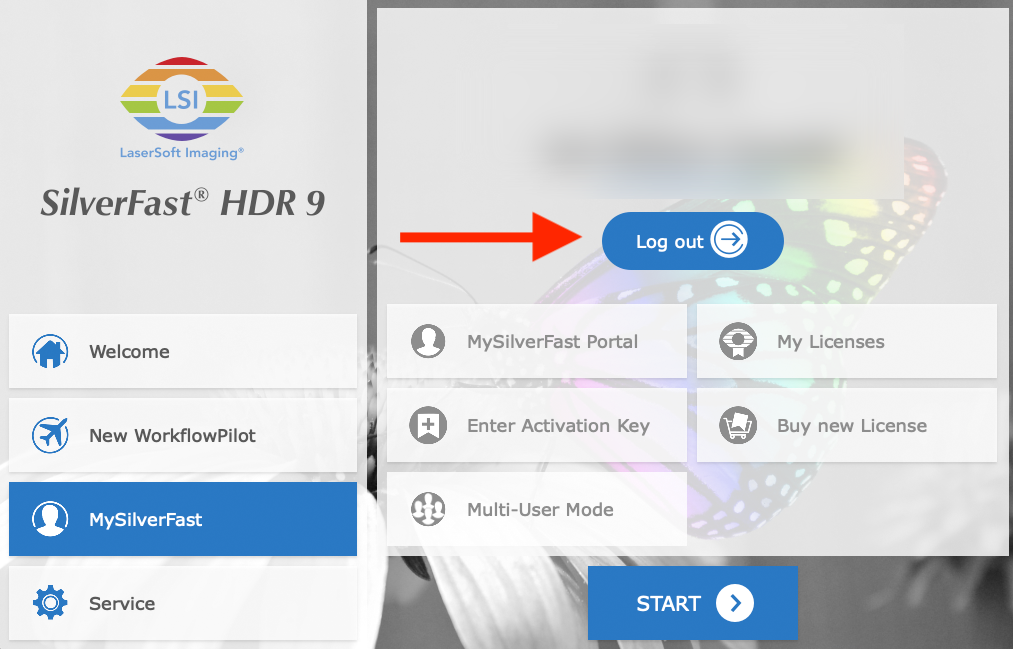
1. Log out of your MySilverFast Account in the SilverFast welcome screen of your old computer.
2. Download the SilverFast 9 installer from your MySilverFast account onto your new computer.
3. Install SilverFast 9 on your new computer.
4. Some scanners require that you install the driver by hand. This is true for:
Windows: Canon, Epson, Plustek (older models)
macOS: Canon, Epson (if the scanner is not automatically recognized)
You’ll find the drivers in the support section of their websites.
5. Run SilverFast on your new computer and connect to your MySilverFast account to get access to all your licenses.


