
If you have received an Activation Key (e.g., from a bundle purchase or a promotional offer), you must first link it to your MySilverFast account to generate your actual software license.
Log in to MySilverFast #
In order to get the license attached to this key, you need a MySilverFast account. As a new user, please register your account, If you already have an account, please log in.
Add a new license #
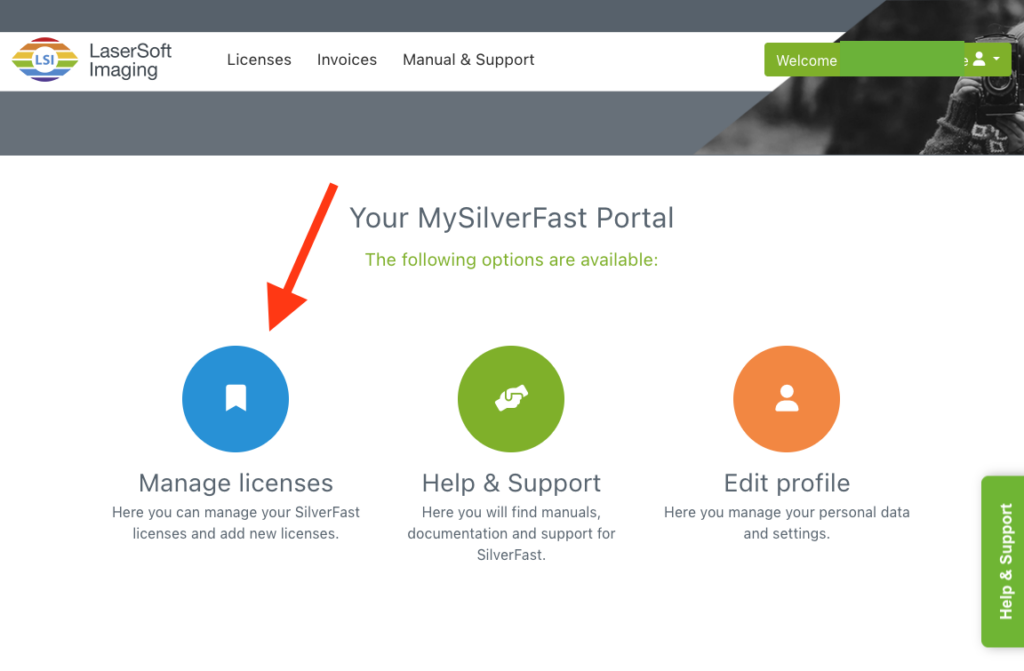
After logging in, please click on “Manage Licenses”.
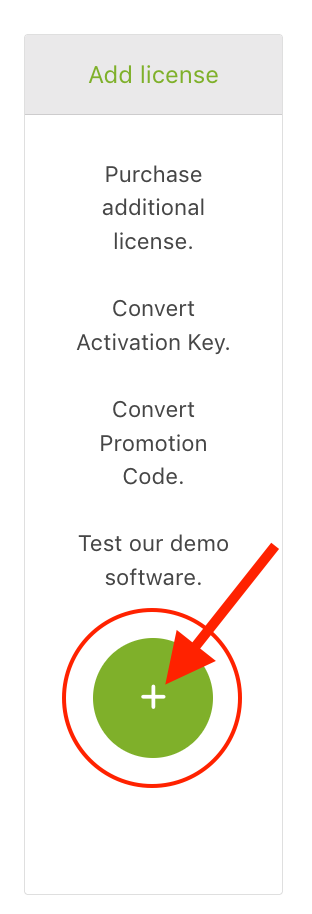
Click on the “Plus” icon of the “Add license” card.
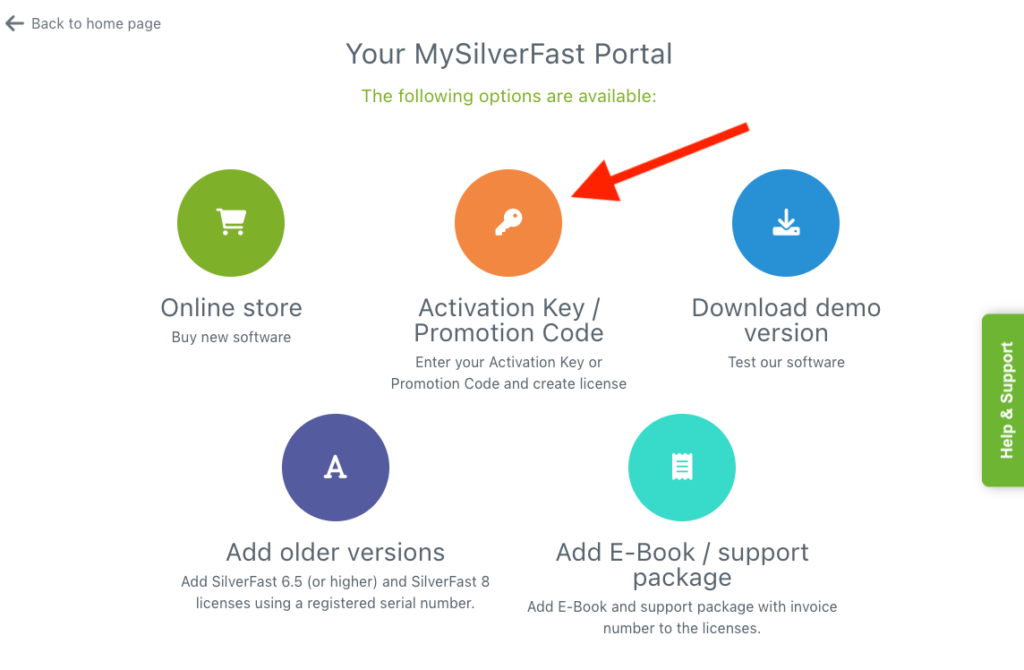
Select “Activation Key” #
Click on “Activation Key”.
Create your license #
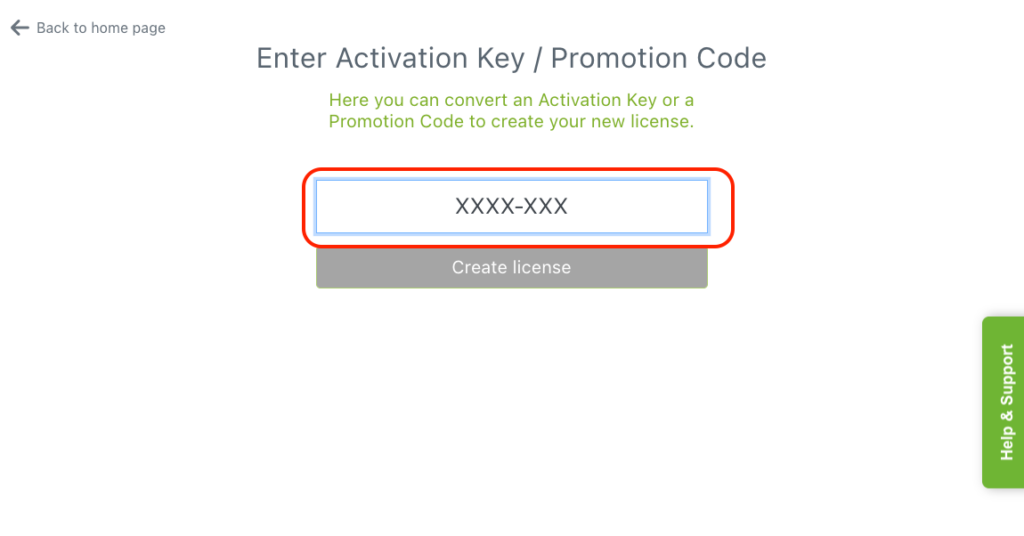
Enter your Activation Key (xxxx-xxxx) and click on “Create License”.
Confirmation and Email #
Once you click “Create License,” the system will process the request.
- Instant Update: The new license will immediately appear in your “Licenses” overview within the MySilverFast portal.
- Confirmation Email: You will receive an automated email from LaserSoft Imaging with the subject: “License added to your MySilverFast Account”. This email confirms that your software is now ready for use and linked to your account.
Activating the Software #
SilverFast 9 does not use serial numbers. To start using your new license:
- Open SilverFast 9 on your computer.
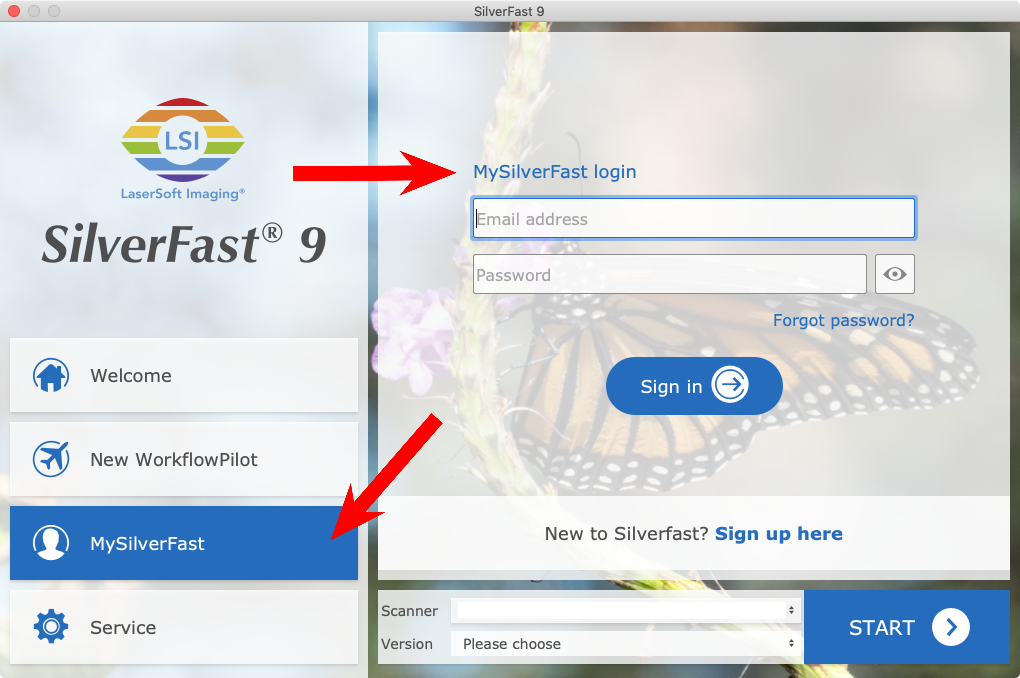
- On the Welcome Screen, click on the MySilverFast tab.
- Log in using the same email address and password you used for the portal.
- The software will automatically detect the new license and activate itself for your scanner.
Note: If you haven’t installed the software yet, you can find the download link for your specific version directly in the “Licenses” section of your MySilverFast portal.
Pro-Tip for Users with Multiple Scanners #
If you have multiple scanners, ensure the correct device is selected in the “Scanner” drop-down menu on the Welcome Screen after logging in. SilverFast will automatically match the active license to the connected hardware.


